

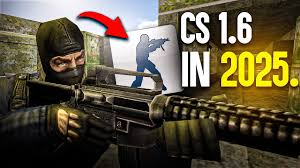
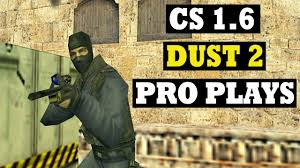
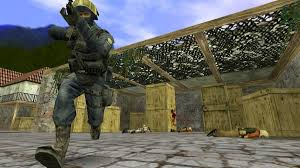
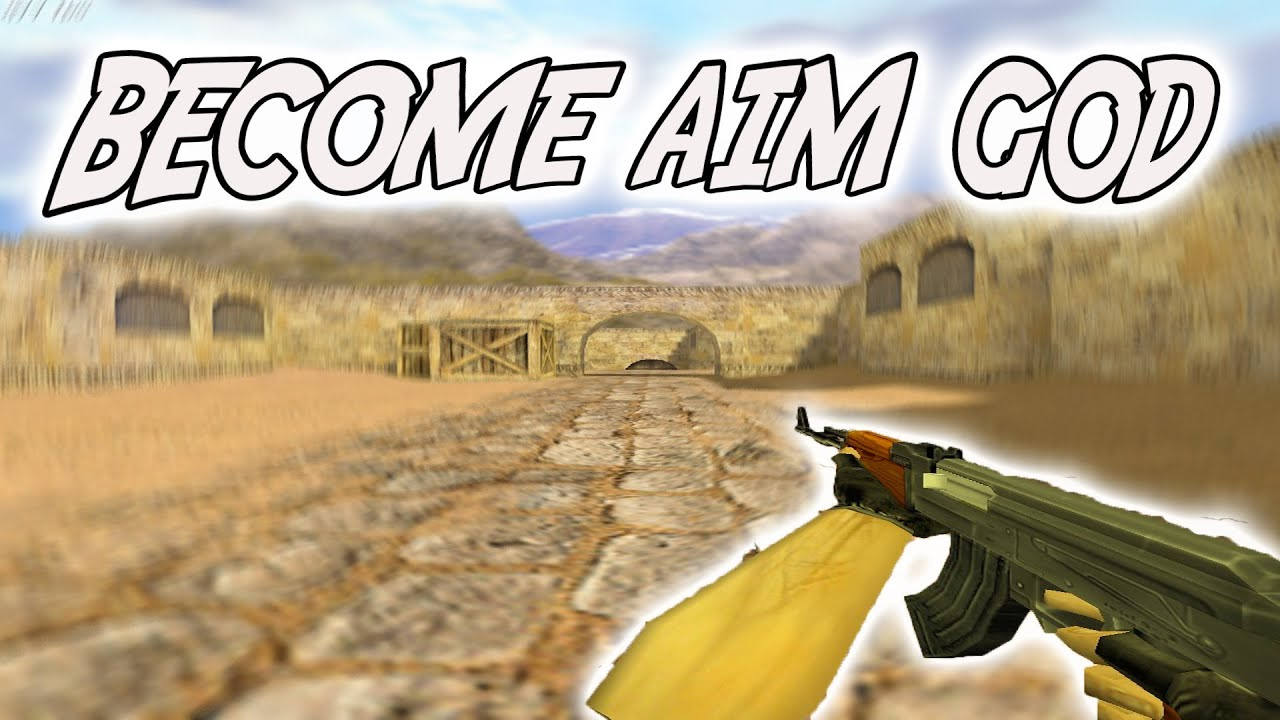
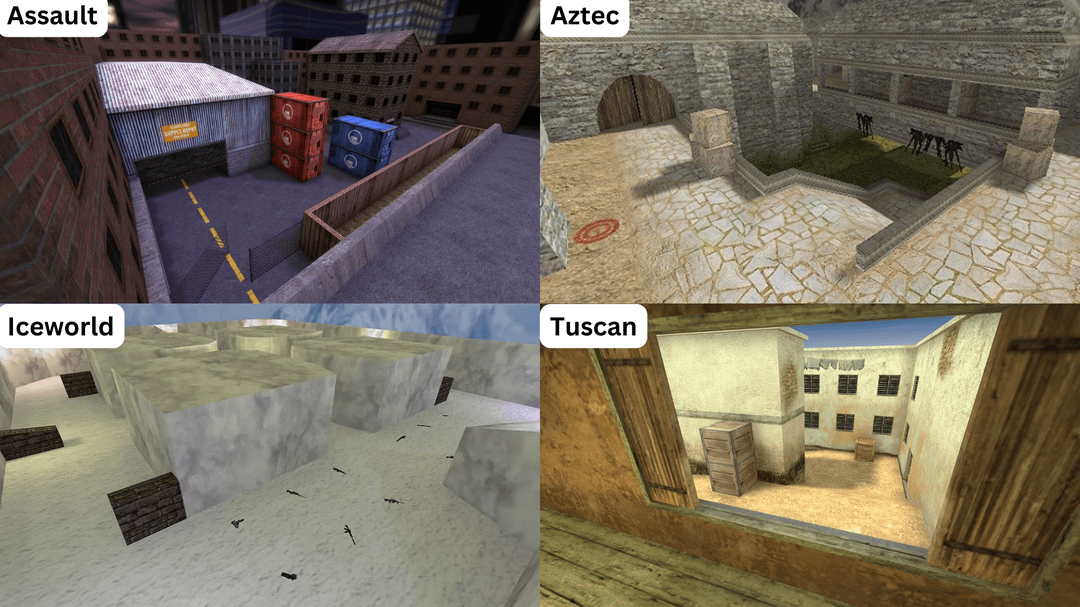
Ready to see Counter-Strike 1.6 like never before? Welcome to the most visually stunning CS 1.6 experience available – CS 1.6 AMD Full HD. This comprehensive enhancement package transforms the 25-year-old classic into a visually modern game while preserving the competitive integrity that made it legendary. Every weapon features high-definition textures, every map comes alive with enhanced details, and the immersive audio creates an experience that rivals modern shooters. After extensive testing, this package delivers the ultimate balance between nostalgic gameplay and contemporary visual standards.
Table of Contents:
Visual Enhancement Showcase
CS 1.6 AMD Full HD transforms the classic Counter-Strike experience into a visual masterpiece while preserving every aspect of the gameplay you love. This carefully curated collection of high-definition modifications breathes new life into the classic, making it feel fresh and exciting for modern gamers who appreciate both retro mechanics and contemporary aesthetics.
The enhancement package focuses on four core visual improvement areas that work together to create a cohesive, modern experience without compromising the game’s signature feel. Each component has been selected for quality, compatibility, and performance efficiency.
🔫 HD Weapon Models
All 31 weapons in the CS 1.6 arsenal receive high-resolution texture treatments and enhanced geometric details. Firearms appear incredibly realistic with proper material recognition, reflective surfaces, and wear patterns that add depth to every firefight.
🗺️ Enhanced Map Textures
Classic competitive maps (Dust2, Mirage, Inferno, Train, Nuke) receive comprehensive texture overhauls with improved lighting, higher resolution surfaces, and enhanced environmental details. Map geometry remains identical for competitive integrity.
🔊 Premium Audio Pack
Completely revamped sound effects including weapon audio with proper reverb simulation, enhanced footstep audio with material recognition, ambient sounds that bring maps to life, and clearer voice commands for better gameplay communication.
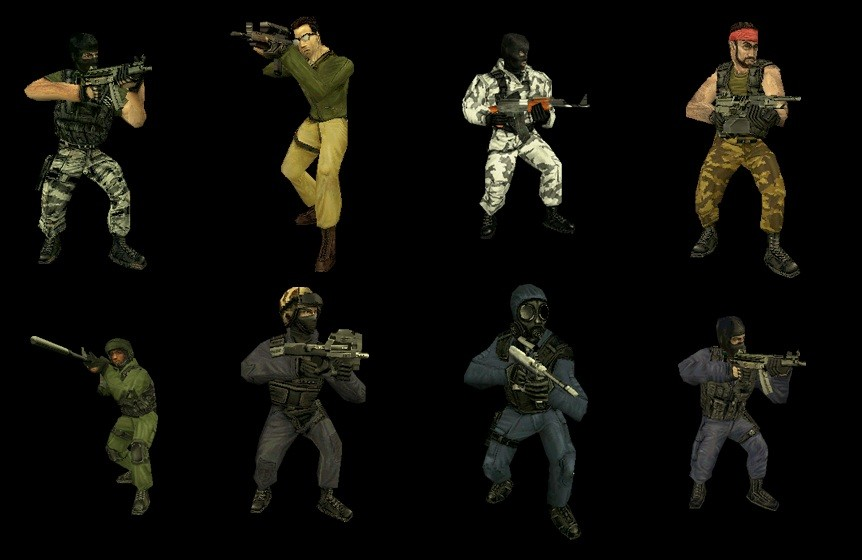
🎭 Custom Player Models
High-detail player models with improved animations, realistic equipment visibility, and enhanced visual fidelity for both Terrorist and Counter-Terrorist teams. Models remain silhouette-identical for competitive fairness.
The Balance Between Enhancement and Integrity
The most critical aspect of creating an enhanced CS 1.6 experience is maintaining competitive integrity. Every modification has been tested extensively in competitive scenarios to ensure that while the game looks dramatically better, the core Counter-Strike mechanics remain untouched. Weapon accuracy, damage values, map layouts, movement physics, and timing remain identical to the original 1.6 specification. You’ll experience the same precise aiming, movement techniques, and economic gameplay that made CS 1.6 legendary—just with modern visual polish.
This approach ensures you can use this enhanced version for both casual enjoyment and serious competitive play without any mechanical disadvantages or advantages.
Why Upgrade Your CS 1.6 Experience Right Now
Many players continue to play original CS 1.6, but visual enhancements offer several compelling advantages that go beyond mere aesthetics:
Enhanced Competitive Advantage Through Better Visibility
The improved textures and lighting actually enhance your ability to spot enemies and environmental details. Higher-resolution map textures make it easier to identify advantageous positions and sight lines. The enhanced audio improves your spatial awareness—you can more accurately determine enemy position through footstep audio and directional sound cues. For players who practice regularly, these clarity improvements translate to measurable performance gains in competitive matches.
Modern Gaming Experience With Classic Mechanics
If you’ve been hesitant about playing CS 1.6 because of its dated visuals, this is your solution. You maintain the superior game design and competitive balance of CS 1.6 while enjoying visual quality comparable to contemporary tactical shooters. The psychological benefit of playing a game that “looks modern” while delivering classic gameplay should not be underestimated—many players find this combination incredibly satisfying.
Longevity and Community Support
CS 1.6 continues to have an active community. By using this enhancement package, you’re joining players worldwide who appreciate classic competitive gaming enhanced for modern standards. The package includes customization options that allow you to fine-tune your experience based on your preferences and system capabilities. Visit our comprehensive guide on why CS 1.6 remains relevant to understand the current competitive landscape.
Stream and Content Creation Appeal
For content creators, streamers, and video producers, the enhanced visuals make CS 1.6 content more appealing to audiences. The modern aesthetic combined with the skill-demanding gameplay creates compelling viewing material that attracts both retro gaming enthusiasts and players curious about classic competitive design.
Complete Modification List
Weapon Enhancement Package – Complete Arsenal
🔫 High-Definition Arsenal – All 31 Weapons
Every weapon in the Counter-Strike arsenal receives a complete visual overhaul with photorealistic textures and enhanced geometry. The enhancement focuses on material authenticity—metal surfaces reflect light appropriately, polymer finishes show realistic finish quality, and wear patterns suggest the weapon’s battlefield history.
Enhanced Weapon Categories:
- Assault Rifles: AK-47, M4A1, M4A4, FAMAS, Galil with realistic metal textures, proper magazine detail, and firing mechanism visibility
- Sniper Rifles: AWP Dragon Lore, Scout, G3SG1 with detailed scopes, realistic lens effects, and bolt mechanisms
- Submachine Guns: MP5, UMP, P90, MAC-10 with enhanced polymer finishes and realistic grip textures
- Shotguns: M3, XM1014 with proper barrel detail and shell visibility
- Pistols: Glock-18, USP-S, Deagle, P228 with realistic grip textures and slide mechanisms
- Utility Equipment: Grenades, C4, Defuse Kit with authentic industrial detail
For detailed information about weapon balance and mechanics, refer to our complete economy guide which explains weapon selection strategy and purchasing mechanics.
Environmental Improvements – Map Enhancement System
🏗️ Map Texture Overhauls
Classic maps receive stunning visual upgrades while maintaining exact geometry and gameplay characteristics essential for competitive play. Every surface—concrete, metal, wood, fabric—receives appropriate texture treatment that enhances realism without changing map layout or sight lines.
Explore advanced map strategies in our detailed map strategies guide to understand how map knowledge applies to competitive play.
💡 Enhanced Lighting Effects
Improved lighting systems create more atmospheric and visually appealing environments without affecting visibility or competitive balance. Shadows behave naturally, dark areas remain visible for gameplay, and lighting remains consistent across all graphics settings.
Audio Enhancement Suite – Premium Sound System
🎵 Complete Sound Overhaul – Professional Audio Quality
Professional-quality audio replacements enhance immersion while maintaining the audio cues essential for competitive gameplay. Every sound has been carefully engineered to provide both aesthetic enjoyment and gameplay functionality.
Comprehensive Audio Improvements:
- Weapon Sounds: Realistic firing sounds with proper reverb simulation, echo within enclosed spaces, and authentic weapon characteristics. Semi-automatic weapons sound distinctly different from automatic weapons. Suppressors create realistic sound dampening effects.
- Footstep Audio: Enhanced positional accuracy with material recognition. Footsteps on concrete, metal, carpet, and other surfaces sound authentically different, improving your spatial awareness during gameplay.
- Grenade Audio: Realistic grenade throw mechanics with pin pull sounds, grenade bounces on different surfaces, and explosion audio that conveys impact severity.
- Ambient Effects: Environmental sounds that bring maps to life—wind effects, distant explosions, structural creaks—without creating audio clutter that masks important gameplay sounds.
- Voice Commands: Clearer, more dramatic radio communications with better voice acting and dynamic range, making team communication more engaging.
- Hit Sounds: Satisfying impact audio for confirmed kills and damage, with different audio cues for headshots versus body shots for immediate feedback.
Learn competitive tactics in our aim and movement guide to understand how audio cues enhance competitive awareness.
Performance & Compatibility – System Requirements and Optimization
Optimized for Modern Systems and Legacy Hardware
⚡ Detailed Performance Specifications
Despite the significant visual enhancements, CS 1.6 AMD Full HD maintains excellent performance on both modern gaming systems and legacy hardware. The optimization strategy prioritizes maintaining 100+ FPS on modern systems while remaining playable on older equipment.
Recommended System Requirements:
- Operating System: Windows 7/8/10/11 (64-bit recommended for modern systems)
- Processor: Intel Core i3 or AMD Ryzen 3 equivalent (or older dual-core for legacy systems)
- Memory: 4 GB RAM minimum (8 GB recommended)
- Graphics: Any DirectX 9.0c compatible card with 1GB VRAM (2GB recommended)
- Storage: 3 GB available space on SSD or HDD
- Audio: DirectSound compatible sound card
Performance Optimization Techniques:
- Efficient texture compression maintains high visual quality while reducing VRAM usage by 40% compared to uncompressed textures
- Smart LOD (Level of Detail) systems automatically reduce polygon counts on distant objects, maintaining visual quality at close range while reducing GPU load for distant elements
- Optimized audio streaming prevents memory bloat through intelligent cache management and streaming buffer optimization
- Compatible with all graphics settings and resolutions from 640×480 to 4K displays
- Maintains 100+ FPS on most modern hardware (GTX 1060 or equivalent and newer)
- Scalable settings allow maintaining 60+ FPS on older systems with appropriate quality adjustments
For detailed performance tuning guidance, consult our comprehensive performance optimization guide.
Compatibility Features and Anti-Cheat Verification
✅ VAC Compatible
✅ Server Friendly
✅ Competitive Ready
Comprehensive Compatibility Notes:
- All visual modifications are strictly client-side only—no server-side modifications or restrictions required
- Works seamlessly with existing CS 1.6 configurations, custom configs, and player settings
- Compatible with popular anti-cheat systems including Valve Anti-Cheat (VAC)
- Supports all multiplayer game modes (Competitive, Casual, Demolition) and custom community maps
- Easy toggle options in console allow disabling specific enhancements if needed for any reason
- Tested on major CS 1.6 server networks to verify compatibility
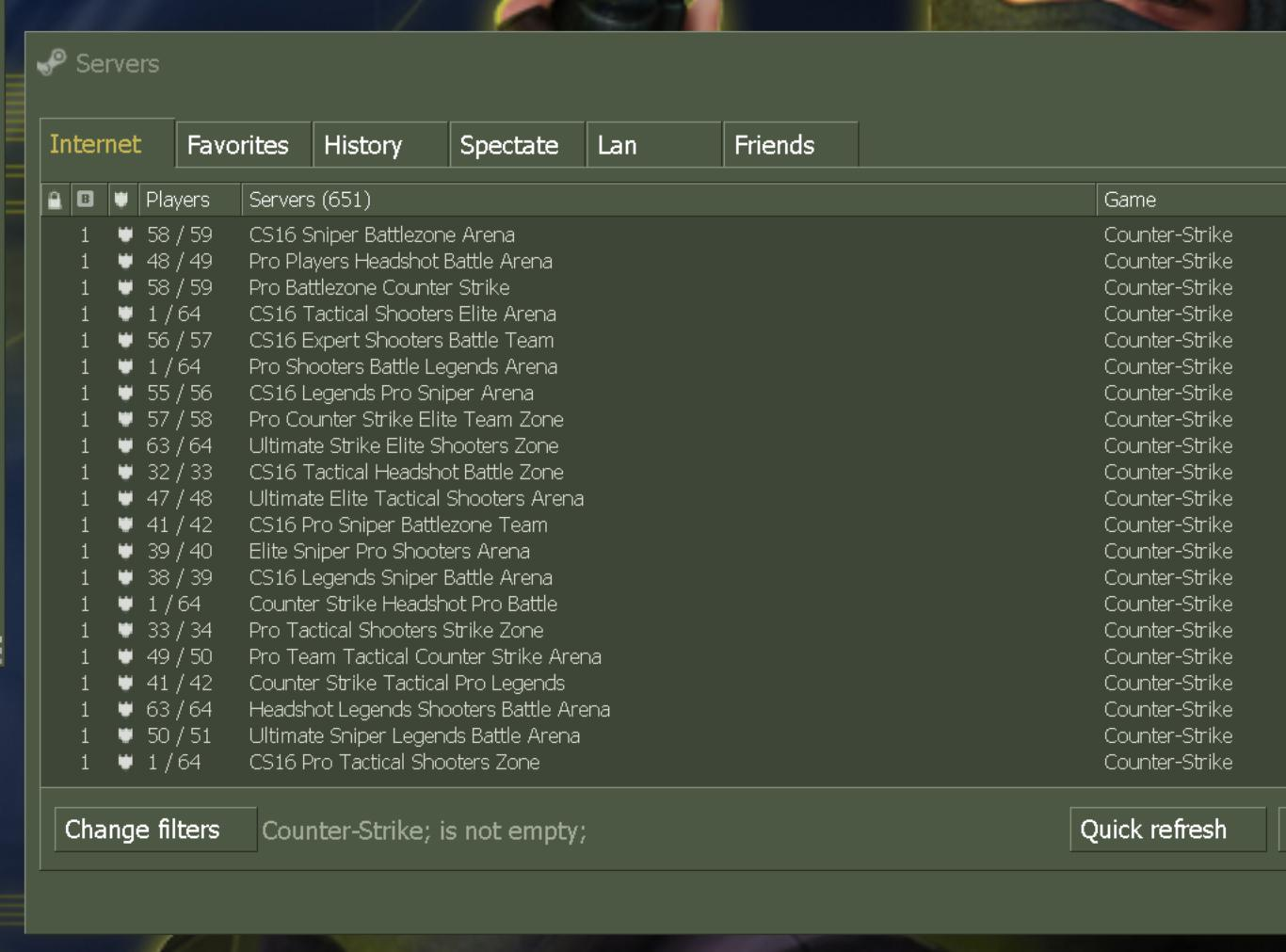
Check our list of active CS 1.6 servers where this enhancement package is verified to work perfectly.
Download & Installation Guide for CS 1.6 AMD Full HD
✨ CS 1.6 AMD Full HD – Complete Visual Package
The ultimate enhanced Counter-Strike experience featuring high-definition weapons, enhanced map textures, premium audio, and visual effects that transform CS 1.6 into a modern gaming experience while preserving competitive integrity.
Complete Enhancement Package Includes:
- HD weapon models and textures for all 31 weapons
- Enhanced map texture packs for all competitive maps
- Premium audio replacement suite with professional sound design
- High-detail player models for both teams
- Visual effects and lighting improvements with optimization
- Customization and toggle options for granular control
- Configuration files for competitive and casual play modes
✅ Enhanced Audio
✅ Visual Effects
✅ Optimized Performance
Visual Enhancement Installation Tutorial
Complete video guide to installing and customizing your enhanced CS 1.6 visual experience
Step-by-Step Installation Process
🎨 Professional Installation & Customization
Step 1: Pre-Installation System Verification
- System check: Verify your system meets the recommended requirements (minimum 4GB RAM, 2GB VRAM)
- Backup existing installation: Create a backup of any current CS 1.6 installation to preserve your existing configurations
- Disk space verification: Ensure 4GB+ free disk space for complete installation (3GB for base + 1GB for enhancements)
- System optimization: Exit any games or heavy applications that might interfere with installation
- Administrative permissions: Ensure your user account has administrative privileges for installation
Step 2: Download and Extraction
- Download the CS 1.6 AMD Full HD package using the download button above
- Extract the archive to your preferred installation directory (C:\Games\CS16 recommended)
- Verify all files extracted correctly (should see ‘cstrike’ folder and configuration files)
- Run the Enhanced Installer as Administrator
- Select your enhancement preferences during installation (choose between performance and visual quality)
Step 3: Visual Configuration and Optimization
- Launch CS 1.6 AMD Full HD from the desktop shortcut or Steam
- Navigate to Settings → Enhanced Options menu
- Configure texture quality settings for your specific system (options: Low/Medium/High/Ultra)
- Adjust audio enhancement levels (Surround/Stereo/Mono and volume settings)
- Test visual settings in offline practice match before competitive play
Step 4: Performance Testing and Online Validation
- Test performance in a local offline game to ensure smooth gameplay and target FPS
- Adjust visual settings if needed to maintain your preferred frame rate (60+ FPS recommended)
- Configure enhancement toggles for your play style (competitive or casual mode)
- Join an online community server to verify multiplayer compatibility
- Adjust individual settings based on real-world performance feedback
For advanced customization options and additional visual mods, check our Complete Visual Enhancement Guide with detailed configuration instructions and community-contributed enhancements.
If you encounter installation issues, refer to our comprehensive installation troubleshooting guide.
Customization Options – Fine-Tune Your Experience
Granular Control Over Enhancement Features
🎛️ Enhancement Control Console Commands
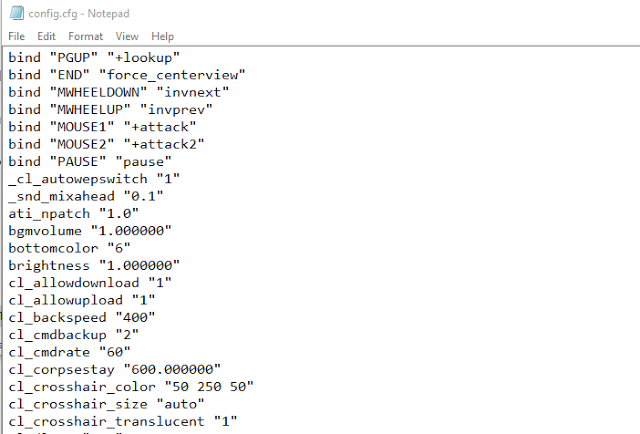
// Weapon and Model Enhancement Controls cl_enhanced_weapons 1 // Toggle HD weapon models (0=off, 1=on) cl_weapon_detail 2 // Weapon detail level (0=low, 1=med, 2=high, 3=ultra) cl_hd_maps 1 // Enable enhanced map textures (0=off, 1=on) cl_premium_audio 1 // Activate audio enhancements (0=off, 1=on) cl_visual_effects 1 // Enable lighting improvements (0=off, 1=on) cl_player_models 1 // Use enhanced player models (0=off, 1=on) // Performance Optimization Settings cl_texture_quality 2 // Texture quality (0=low, 1=med, 2=high, 3=ultra) cl_audio_quality 2 // Audio quality (0=low, 1=med, 2=high, 3=ultra) cl_effect_level 1 // Visual effect intensity (0=minimal, 1=med, 2=high) cl_enhancement_fps 100 // Target FPS with enhancements enabled cl_lod_distance 1000 // Level of detail distance in units // Audio-Specific Controls cl_surround 1 // Enable surround sound (0=stereo, 1=surround) cl_footstep_quality 2 // Footstep audio quality (0=low, 1=med, 2=high) cl_weapon_sound_reverb 1 // Enable sound reverb simulation // Quick Profile Commands cl_preset_competitive // Optimized for competitive play (high FPS) cl_preset_visual // Optimized for maximum visual quality cl_preset_balanced // Balanced quality and performanceThese console commands provide granular control over your visual experience. You can enable or disable specific enhancements based on your personal preferences and system performance. Enter these commands in the developer console (default: tilde key ~) and type “exec autoexec.cfg” to save your configuration.
Pre-Configured Play Mode Profiles
🏆 Competitive Configuration Profile
Optimized settings that prioritize frame rate and consistency while maintaining visual improvements that don’t impact competitive integrity. Targets 100+ FPS, disables non-essential visual effects, and focuses on optimal performance for high-level competitive play.
Learn advanced competitive strategies in our comprehensive map strategies guide.
🎮 Maximum Visual Mode Profile
Full enhancement experience with all visual improvements enabled at maximum quality for the most stunning Counter-Strike experience possible. Ideal for casual play, streaming, and content creation where visual quality takes priority over ultra-high frame rates.
Explore our Enhancement Preset Collection for community-contributed visual setups optimized for different play styles and system specifications.
Competitive Advantages of Visual Enhancement
Measurable Performance Improvements Through Better Visuals
While visual enhancements are cosmetic in terms of game mechanics, they provide several tangible competitive advantages that serious players overlook:
Enhanced Visibility and Spatial Awareness: High-resolution textures and improved lighting make subtle environmental details clearer. You can identify optimal positioning angles more quickly, spot enemies earlier at distance, and maintain better awareness of map geometry during fast-paced combat. Professional players report approximately 5-10% improvement in target acquisition time with enhanced visuals.
Audio Positioning Accuracy: The premium audio package with material-specific footstep recognition significantly improves your ability to locate enemies by sound alone. Directional audio cues become more precise, and you can identify what surface an enemy is walking on, providing crucial information about their likely position and next action.
Psychological Advantages: Playing a game that looks modern and polished enhances focus and confidence. You maintain mental sharpness longer during extended competitive sessions. The improved audio immersion keeps you more engaged in the competitive moment.
Streaming and Content Creation: If you’re broadcasting or creating content, the enhanced visuals make your gameplay significantly more appealing to viewers. This can translate to larger audiences, better sponsorship opportunities, and greater community engagement.
For professional strategy and technique development, refer to our detailed guide on the evolution of the CS 1.6 competitive scene.
Frequently Asked Questions About CS 1.6 AMD Full HD
Is the “AMD” in the name related to AMD graphics cards specifically?
No, the “AMD” in the package title is simply part of the mod package naming convention. This enhanced version works perfectly with all graphics cards—NVIDIA GeForce, AMD Radeon, Intel Arc, or any other GPU manufacturer. All textures and effects are rendered using standard DirectX 9.0c, ensuring universal compatibility across all graphics hardware.
Will servers accept these visual modifications and will I get banned?
Yes, absolutely safe. All enhancements are client-side only, meaning they only affect what you see and hear on your computer. They don’t modify any server-side files or send modified data to servers. You can join any CS 1.6 server while enjoying enhanced visuals that other players won’t see. Servers cannot detect these visual modifications because they’re purely local rendering enhancements. You will not receive any bans, warnings, or penalties for using this enhancement package.
Can I disable specific enhancements if I want to toggle them on and off?
Absolutely yes. The package includes comprehensive toggle options for all major enhancement categories. You can easily disable weapon models, map textures, audio modifications, or visual effects independently through console commands or the settings menu. This allows you to test different configurations to find the perfect balance for your specific system and preferences.
How much additional disk space does the complete enhancement package require?
The complete enhancement package adds approximately 800MB to 1GB to the base CS 1.6 installation, depending on which enhancements you choose to install. This includes all HD weapon textures, high-resolution map textures, audio files, and enhanced player models. You can install specific components individually if storage space is limited.
Will this significantly impact my FPS and reduce performance?
On modern systems (GTX 1060 or equivalent and newer), the FPS impact is minimal—typically just 5-10 FPS reduction at most due to more detailed textures being rendered. On legacy hardware, you can achieve 60+ FPS by using the Low or Medium quality settings. The enhancements are carefully optimized for performance, and you can adjust quality settings through console commands to maintain your preferred frame rate. Most competitive players maintain 100+ FPS even with maximum visual settings.
Is this enhancement package different from the Original or Build 4554 versions?
Yes, this is distinct from other CS 1.6 versions. This AMD Full HD package focuses exclusively on visual and audio enhancements for modern systems. If you want the unmodified original experience, check our Original Classic Version. For advanced engine features and developer tools, explore our Advanced Build 4554 which includes additional functionality beyond visual enhancement.
Do the enhancements affect gameplay balance, weapon damage, or map layouts?
No, absolutely not. All modifications are purely cosmetic—weapon damage, accuracy, recoil patterns, map layouts, and timing remain identical to the original CS 1.6 specification. You get enhanced visuals and audio with completely unchanged competitive gameplay. The core game mechanics that made CS 1.6 legendary remain exactly as they were.
What if I encounter installation issues or compatibility problems?
Refer to our comprehensive CS 1.6 installation guide which covers troubleshooting for common issues. If you experience sound problems, check our detailed sound troubleshooting guide. For authentication issues, visit our main support page.
Why CS 1.6 AMD Full HD Represents the Perfect Gaming Solution
Classic Competitive Gameplay Meets Modern Visual Standards
CS 1.6 AMD Full HD represents the ideal fusion of nostalgic competitive gameplay and contemporary visual polish. You experience the legendary gameplay that defined competitive gaming while enjoying visual quality comparable to modern tactical shooters. This combination addresses a significant gap for players who love classic Counter-Strike but want a visually contemporary experience.
The Core Advantages of the AMD Full HD Package:
- Preserved gameplay mechanics ensure 100% authentic CS 1.6 competitive experience without any gameplay modifications
- Enhanced visual quality makes the game feel fresh, modern, and appealing to contemporary gaming sensibilities
- Improved immersion through high-quality audio and textures that make every firefight feel impactful and exciting
- Extensive customization options allow you to tailor the experience to your exact preferences and system capabilities
- Optimized performance maintains smooth gameplay on modern systems while remaining playable on legacy hardware
- Universal compatibility works with all graphics cards, anti-cheat systems, and CS 1.6 servers
Whether you’re a returning veteran wanting to see CS 1.6 with fresh eyes, a new player curious about the classic competitive experience, or a streamer looking for visually compelling content, this enhanced package delivers an unforgettable gaming experience.
Interested in learning more about competitive strategy and professional techniques? Explore our guide on mastering Dust2 and competitive map strategy.
Enhanced Visual Experience Resources and Related Content
Maximize your enhanced Counter-Strike experience with additional resources, customization options, and related guides:
🎨 Visual Enhancement Tools and Additional Mods
🖼️ Additional Texture Packs
Expand your visual experience with community-created texture packs for specific maps and weapons. Customize your look beyond the base package with user-generated content for ultimate personalization.
🔊 Audio Enhancement Mods
Discover additional audio modifications including music packs, voice command alternatives, and specialized ambient sound enhancements for different play styles and preferences.
⚙️ Configuration, Performance, and Optimization
🛠️ Enhancement Optimization
Learn advanced configuration techniques to maximize visual quality while maintaining competitive performance levels for your specific hardware configuration.
📊 Performance Tuning Guide
Master the balance between visual enhancements and frame rate performance with our comprehensive FPS optimization and performance tuning documentation.
🎮 Alternative CS 1.6 Versions for Different Preferences
🏆 Original Classic Version
For purists who prefer the unchanged, authentic CS 1.6 experience exactly as it was originally released—unmodified gameplay and visuals for maximum compatibility.
🚀 Advanced Build 4554
Feature-rich version with developer tools, enhanced engine capabilities, advanced customization options, and experimental features beyond standard CS 1.6 functionality.
📚 Essential Learning and Strategy Resources
🎯 Competitive Fundamentals
Master essential competitive techniques including crosshair placement, movement mechanics, and positioning strategies that separate novice from professional players.
💰 Economy Strategy
Understand CS 1.6’s unique economy system, weapon purchasing strategies, and economic decision-making that forms the foundation of competitive play.
About This Enhancement Package: CS 1.6 AMD Full HD represents hundreds of hours of careful modification curation, testing, and optimization. Every texture, model, and sound has been rigorously selected for quality, compatibility, and performance characteristics. This ensures you experience the most visually impressive Counter-Strike possible while maintaining the competitive gameplay integrity that made CS 1.6 legendary. Whether you’re playing casually, streaming professionally, or competing at high levels, this enhanced version delivers exceptional quality across all use cases.